
Changelog

Follow new updates and improvements to Aladia.

19 December Update

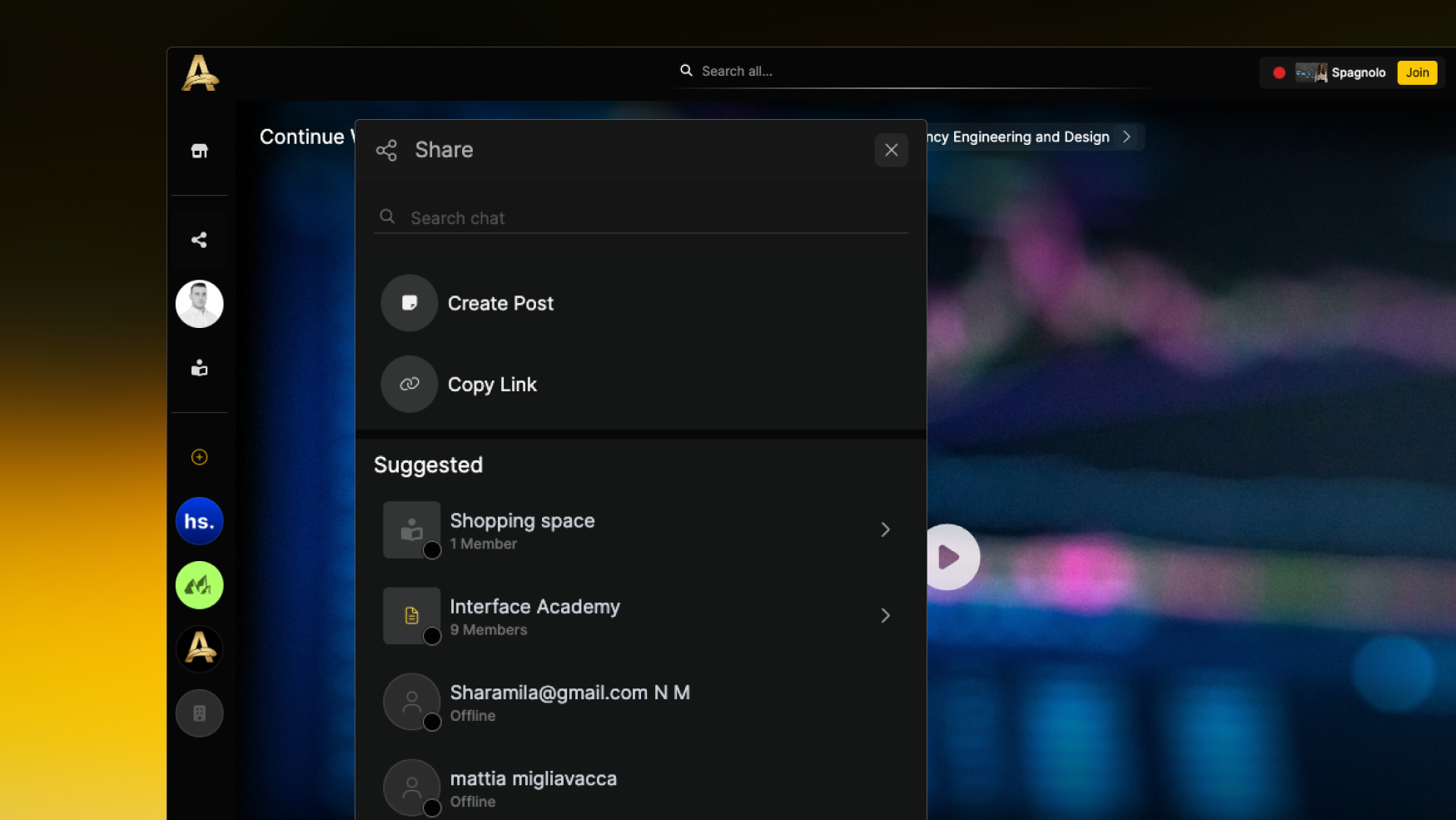
✅ Fix: Share Button on Fruition Page

We’ve addressed an issue where the Share button on the Fruition page wasn’t responding, preventing users from sharing content as expected.

What’s fixed:
🔹 The Share button now triggers the correct action when clicked
🧠 Interactive behavior restored for all supported share methods
📲 Improved feedback so users know their share request was successful
🛠️ Fix applies across course and content share options

This fix ensures that sharing from the Fruition page works reliably, improving content distribution and engagement.

Fixed

3rd of July Update

🚀 New: Certificate Preview Added to Final Step of Scheduled Payments

We’ve introduced a new feature that shows users a clear visual confirmation that they will receive a certificate upon completing their subscription.

What’s new:
🎓 A final preview step has been added to the schedule payments flow, displaying certificate eligibility.
🚀 This enhancement boosts transparency and motivates learners to complete their course.

Learn More Here: Payment


✅ Fixed: Duplicate Post Display in Message Threads When a Post is Shared

We’ve resolved an issue where posts were being shown repeatedly within message threads when post was shared, leading to redundancy and confusion in conversations.

What’s new:
🔁 Messages now display each post only once, as intended.
🧹 UI logic has been corrected to prevent post duplication during rendering or state updates.

This fix ensures a cleaner, more consistent communication experience within chats.

Learn More here: Social Feed

✅ Fixed: Unable to Remove Invited User to IAM from Space

We’ve addressed a bug in the IAM system where users invited to a space could not be removed

What’s new:
🔓 It’s now possible to fully remove invited users from a space.
🛠️ Backend logic has been updated to handle invited and active users consistently.

This fix ensures better control and accuracy when managing space memberships.
This fix improves data integrity and platform access governance.

Learn more Here: IAM

🚀 New Feature: Easily Duplicate Chapters in Course Builder

You can now duplicate existing chapters directly within the course builder, making it faster than ever to replicate structured content.

✨ What’s new:

  • ➕ One-click "Duplicate Chapter" option available in each chapter's menu

  • 🧠 Retains all lessons, titles, and chapter metadata

  • 🛠️ Great for reusing formats or creating consistent structures across courses


Learn More Here: Course Content

✅ Fixed: Event Deletion Error When Host and Guests Are Involved

We’ve resolved a backend issue where deleting an event that included a host and guests would result in a server (500) error.

What’s new:
🛠️ The event deletion logic now properly handles related data like host and guest records.
🚫 No more crashes when removing fully populated events from the system.

This fix ensures smoother event management and improved stability for group scheduling workflows.

Learn More Here: Calendar

✅ Fixed: Search Bar Error When Querying for Organizations

We’ve fixed a bug that caused an error when users searched for organizations in the global search bar.

What’s new:
🔍 Organization search queries now return accurate results without triggering backend errors.
🧱 Improvements made to indexing and result handling for smoother search performance.

This update ensures a more reliable and user-friendly search experience when navigating organization data.

✅ Fixed: Certificate Name Not Displayed Upon Publication

We’ve resolved an issue where the certificate name was not visible after a certificate was published, leading to confusion for users expecting confirmation.

What’s new:
📄 Certificate titles now display correctly once a certificate is published.
🔍 Improved visibility ensures users can easily verify and share their certified credentials.

This fix enhances clarity and professionalism in the certificate publishing process.

Learn More Here: Certificates


✅ Fixed: Convergence Issue for Lectures in Recurring Cycles

We’ve fixed a bug affecting convergent lectures in recurring cycles, where shared data between lectures did not behave as expected beyond the first cycle.

What’s new:
🔁 Guest lists are now properly synchronized across all cycles for convergent lectures.
📅 The calendar event popup now correctly reflects the number of selected calendars.
🧑‍🏫 Teachers no longer need to join multiple meet rooms for what should be a single convergent lecture — event links are now unified across cycles.

This fix ensures consistency in attendance, scheduling, and meeting access for recurring convergent lectures.

Learn More Here: Course Content


NewFixed

30th June Update

✅ Fixed: IAM Group & User Management Issues

We’ve addressed several bugs within the IAM (Identity and Access Management) system to improve reliability and user experience when managing groups and memberships.

What’s new:

  • 🛡️ Fixed “Forbidden Resource” error – Users invited as group admins in staging no longer receive “forbidden resource” access issues.

  • 🧹 Cleared “Empty Group” functionality – Group owners can once again empty groups properly without errors.

  • ❌ Resolved delete button inconsistency – The “Delete” button in the action bar now correctly removes users using the proper endpoint, matching the behavior of the 3-dot menu.

  • 🔄 Fixed context switch after removal – When a user is removed from an organization, the interface now automatically updates the context, preventing stale organization state.


Learn more Here: IAM


✅ Fixed: Restrict Follow/Unfollow Permissions for Organization Accounts

We’ve enhanced access controls to ensure that only authorized users can follow or unfollow organization accounts, improving security and administrative oversight.

What’s new:

  • 🚫 Enforced permission checks – Only users with proper “Social Media Manager” permission can now follow or unfollow any organization account.

  • 🔐 Protected organization integrity – Organization owners and admins are now insulated from unauthorized follower actions by non‑privileged users.

  • 🧩 Consistent permission model – Follower management behavior now aligns with other membership-related actions (invites, roles, etc.).

  • 🛠️ Improved error messaging – Users attempting unauthorized follow/unfollow actions will see clear alerts explaining missing permissions.

  • 🔄 Streamlined UI feedback – Follow/unfollow buttons are now dynamically enabled/disabled based on user roles and permission status.

Learn More Here: IAM


✅ Fixed: Reference and File Display in Comments for Stories, Highlights, and Reels

We’ve implemented a better solution to ensure that references and file attachments are properly shown when organizations comment on stories, highlights, or reels.

What’s new:

  • 🗂️ Improved reference visibility – Comments now clearly display any associated references added by organization accounts.

  • 📎 File attachments now visible – Files added in comments are correctly shown across all content types, including stories, highlights, and reels.

  • 🧩 Consistent commenting experience – Reference and attachment behavior now works reliably and consistently across all post formats.

Learn More Here: Story


✅ Fixed: Lecture Attachments Not Persisting After Save

We’ve resolved an issue where attachments added to lecture content weren’t being retained when the lecture was saved and edited again.

Details:

  • 🧩 Attachment retention fixed – The frontend now correctly sends the file ID when saving a lecture, ensuring that added attachments remain visible after saving

  • 🔄 Reliable save behavior – Lecture attachments are now preserved during subsequent edits, eliminating the need to re-upload files.

  • ✅ Improved content creation flow – Course creators can confidently add files to lectures without fearing data loss—enhancing trust in the editing experience.

Learn More Here: Course Content


✅ New: Quick Jump Links from Chat to Course, Folder, and Space Levels

We’ve made it easier to navigate directly from chat views to the relevant course, saving time and improving context switching.

What’s new:

  • 🔗 Jump buttons added – You can now jump directly to the associated course, from:

    • Course chat view > Info panel chat > Sidebar chat

  • New action in three-dot menu – We’ve also added a “Go to location/” option in the context menu for quick access from any chat.

  • 🚀 Streamlined navigation – These shortcuts help you stay focused by reducing clicks and making chat-driven workflows more efficient.


    Learn More Here: Chat


🛠️ More Fixes:

NewFixed

Earlier updates




