When a new user is added to an organization, they are automatically included in all the organization's group chats. While the group room appear in the user's chat list, attempting to access them results in a 403 Forbidden error.
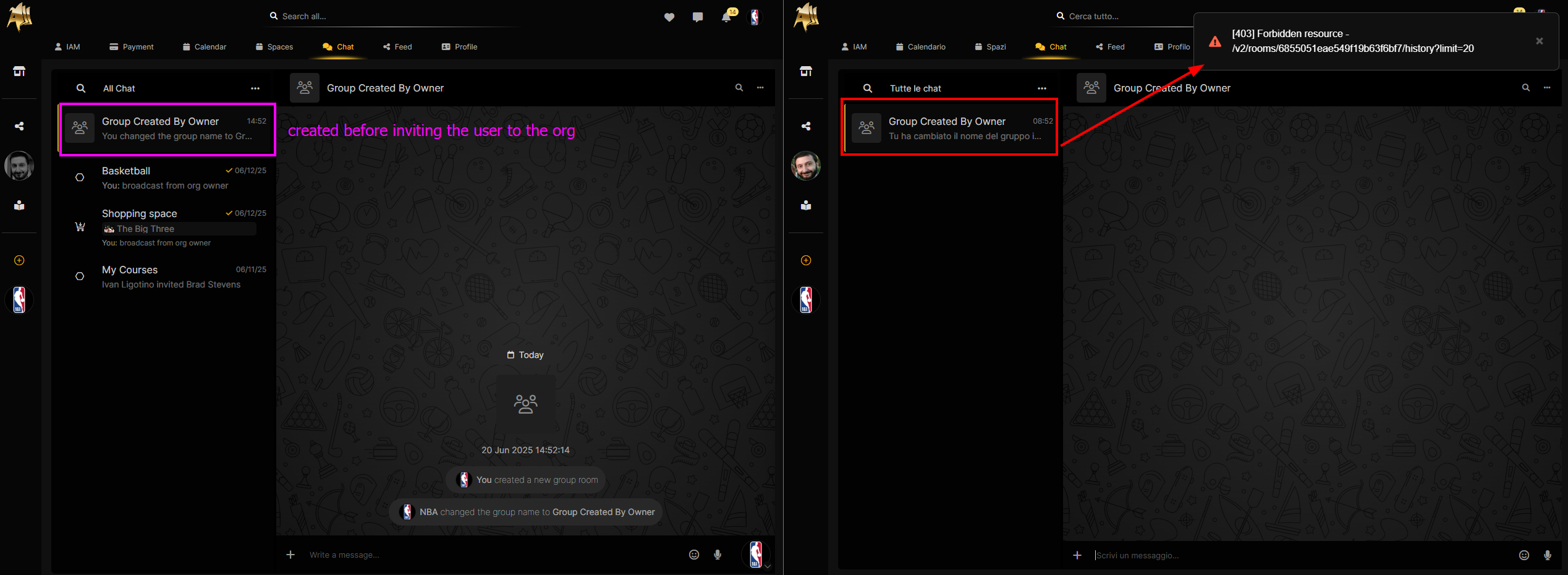
Cause
The root cause is that, while the ChatRoomMember entry is correctly created, the corresponding privilege is not.
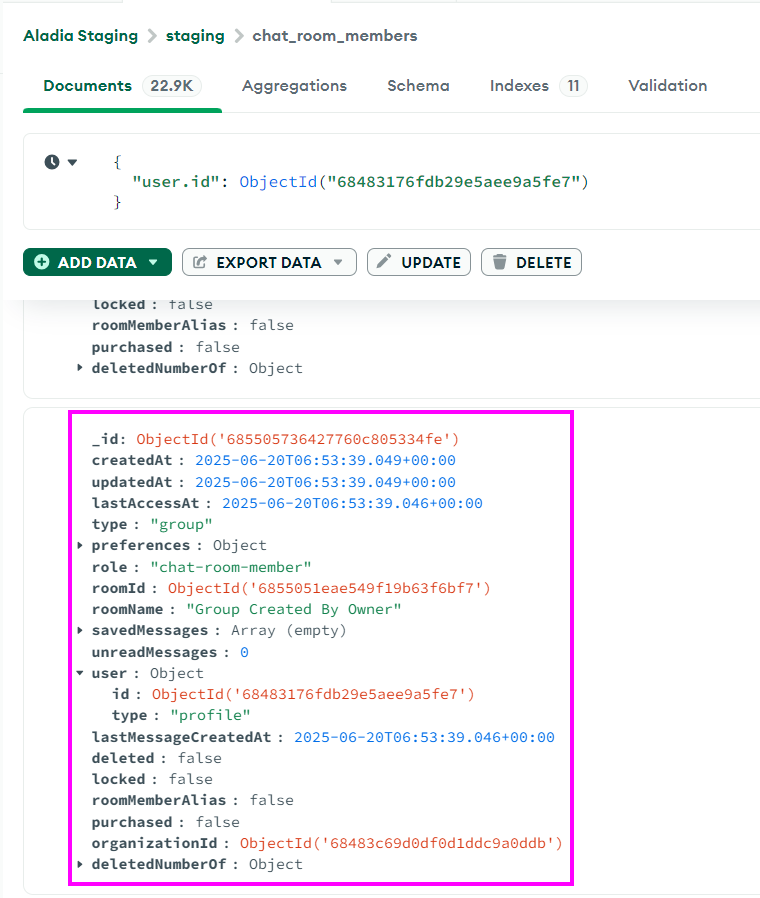
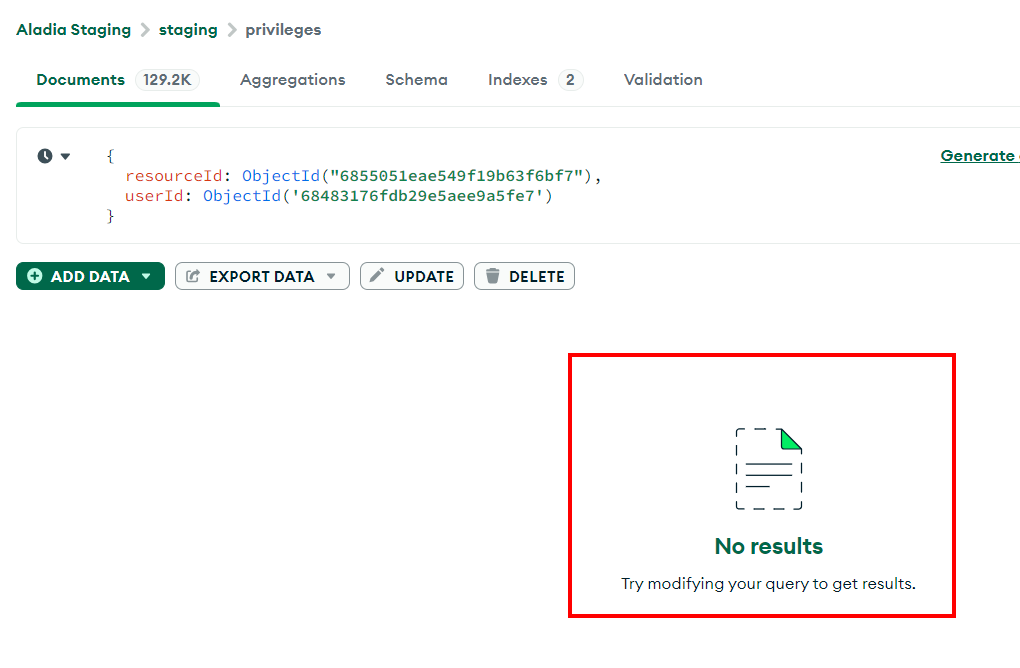
Environment: staging
User credentials: ivan.ligotino@gmail.com / Pass@123
UserID: 68483176fdb29e5aee9a5fe7
RoomID: 6855051eae549f19b63f6bf7
