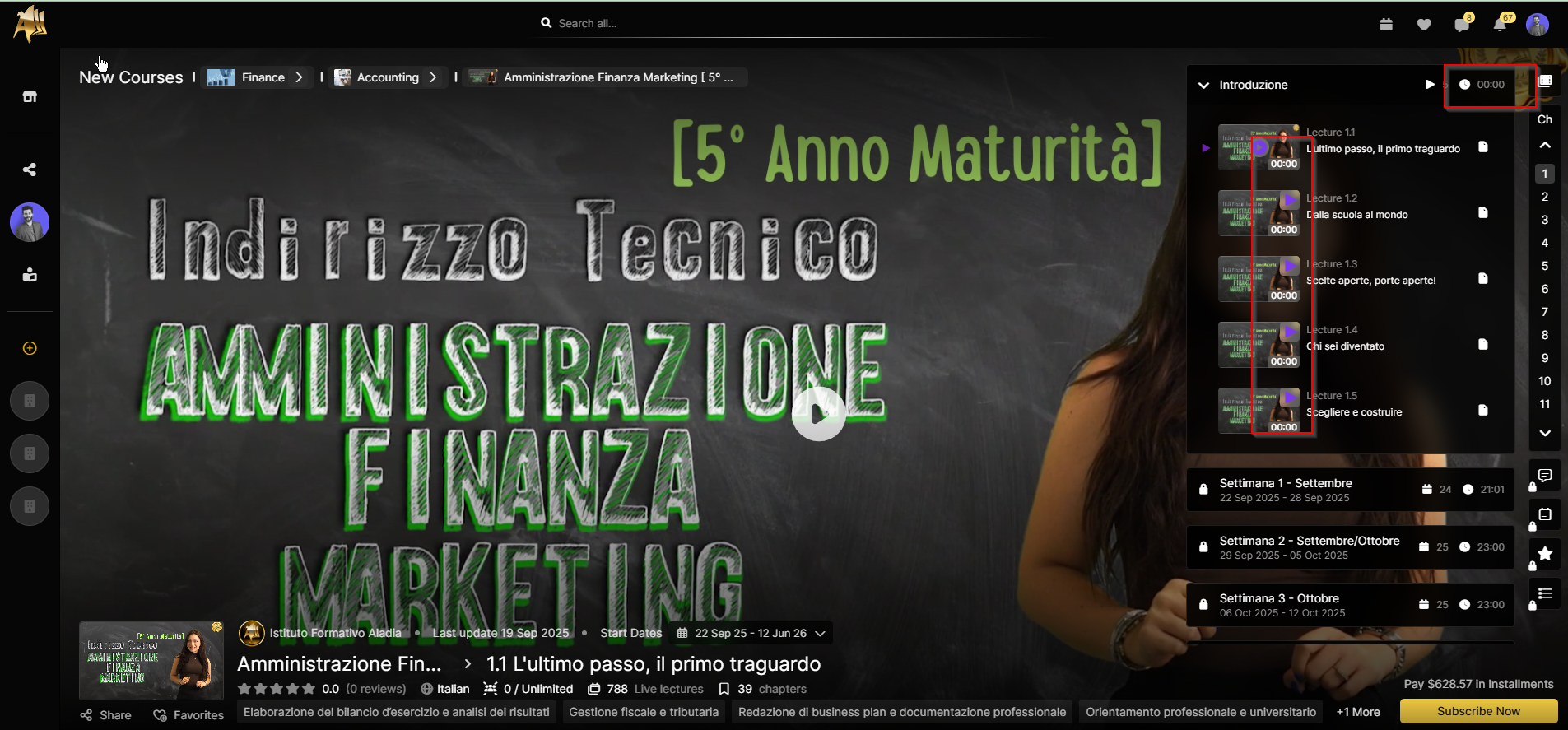
When viewing a course, if we expand the lessons details under the Introduction section, the total section time is incorrectly displayed as 00:00. Similarly, each video within the introduction section also shows a duration of 00:00.
However, when playing any of the introduction videos, the timer starts moving up and shows the current playback time instead of the total video duration.
Steps to Reproduce:
Open Marketplace.
Open any Course.
Expand the Lesson Details.
Expand the Introduction Section.
Expected Result:
Each video should display its total duration (e.g., 05:30).
The section should display the aggregate total duration of all intro videos.
Actual Result:
The section time is shown as
00:00.Each video time is displayed as
00:00.Once playback starts, the timer shows current time instead of total time.