Calendar Mobile Usability issues
Use Icon or other explicit way to show the current calendar view
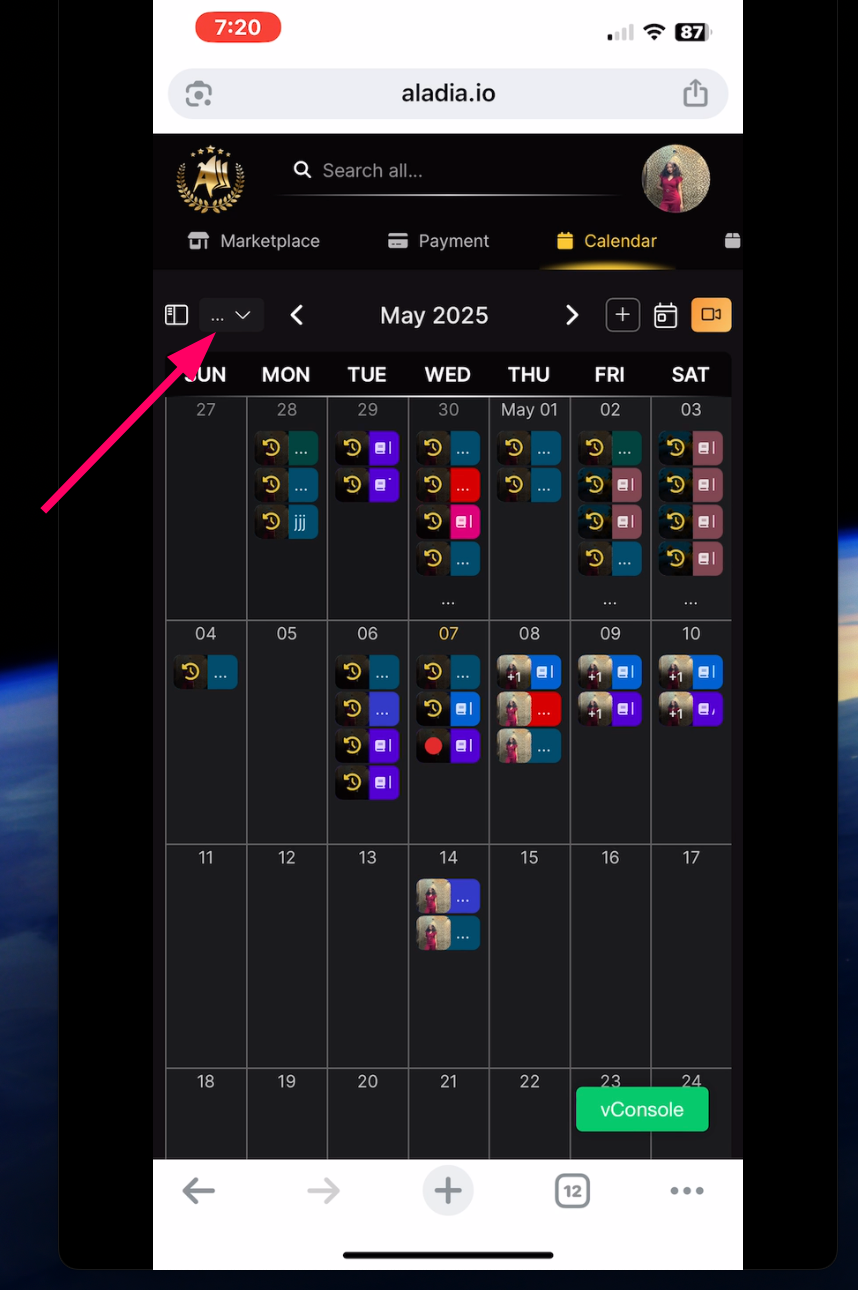
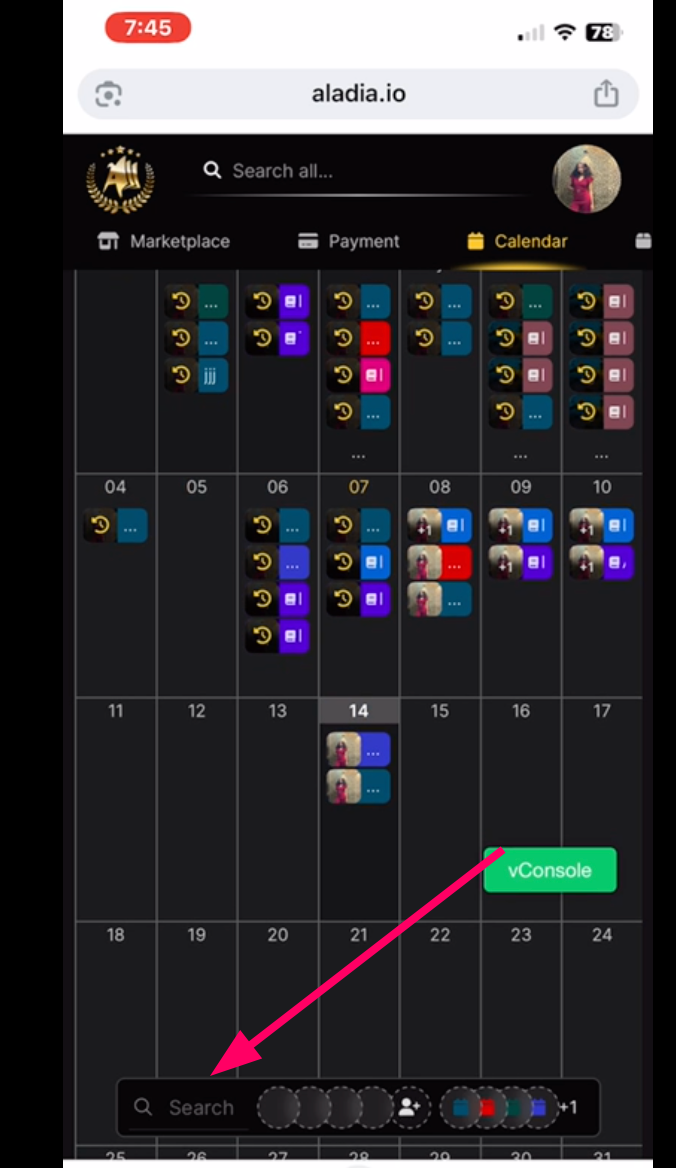
The full heigt of calendar view is not visible, therefore calendar search bar is cut out of the screen
When the calendar pop-up is opened we have to close the calendar sidebar
Truncate
scheduling settingslabel here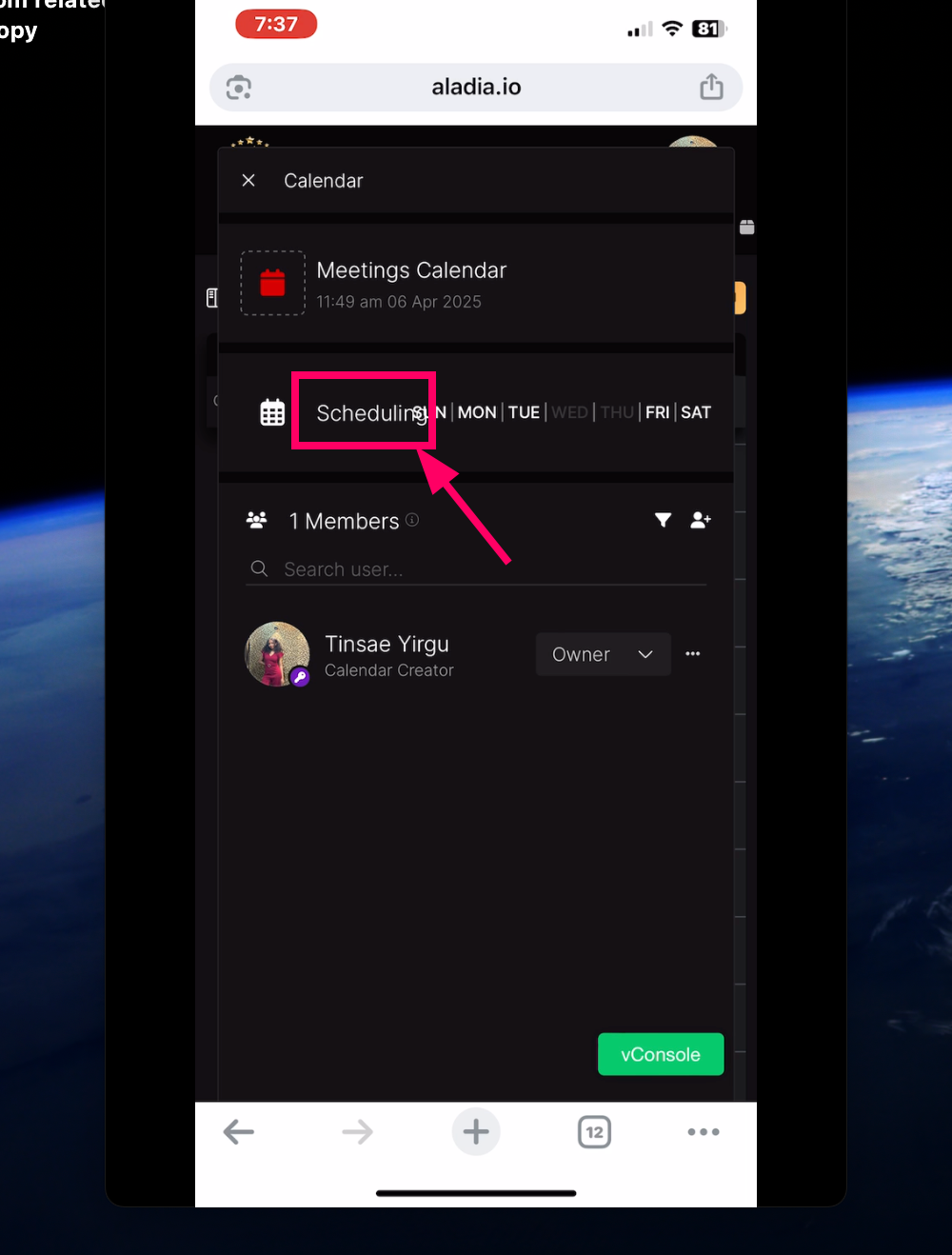
Save options are beign cut out of the mobile height
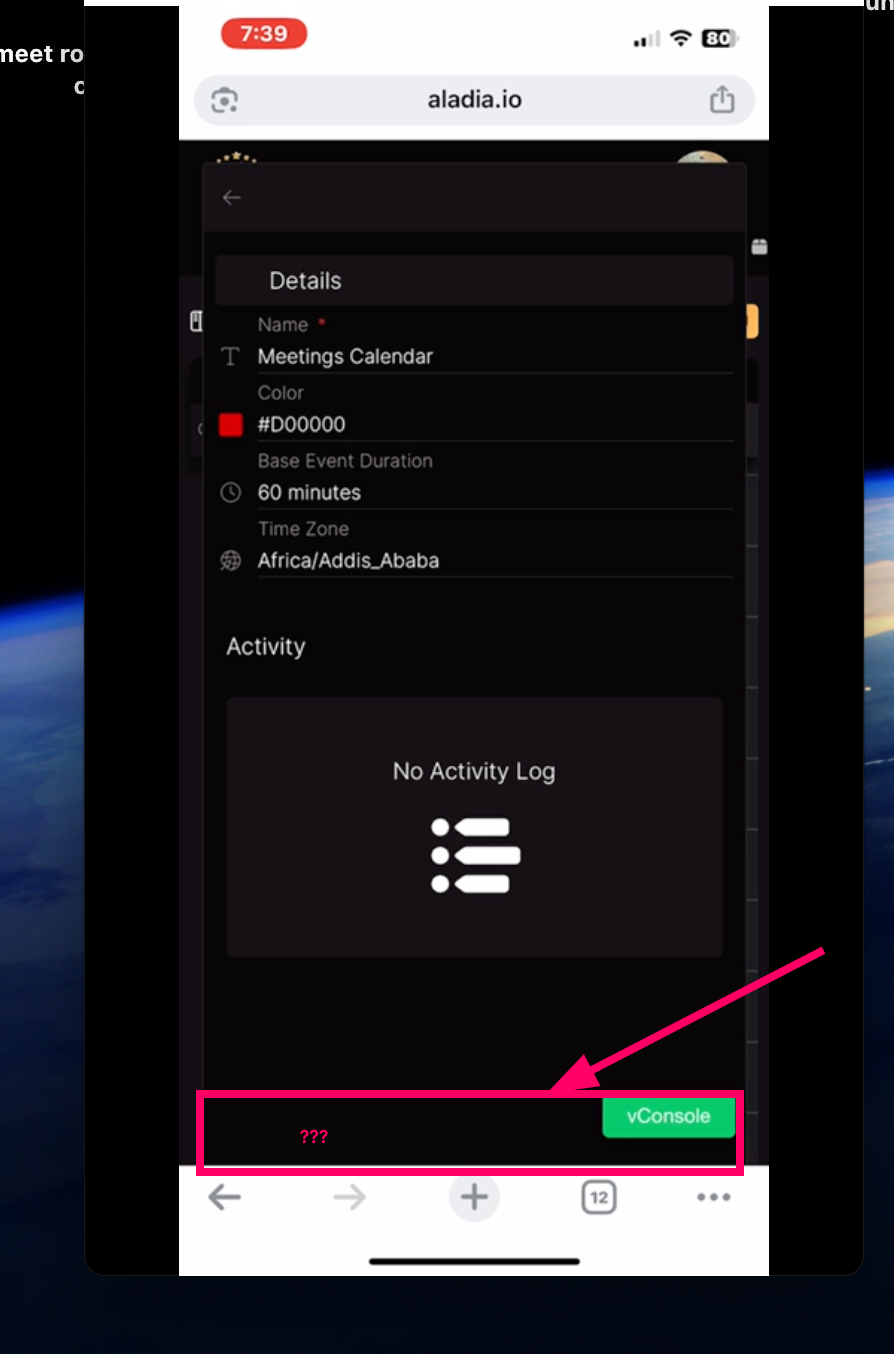
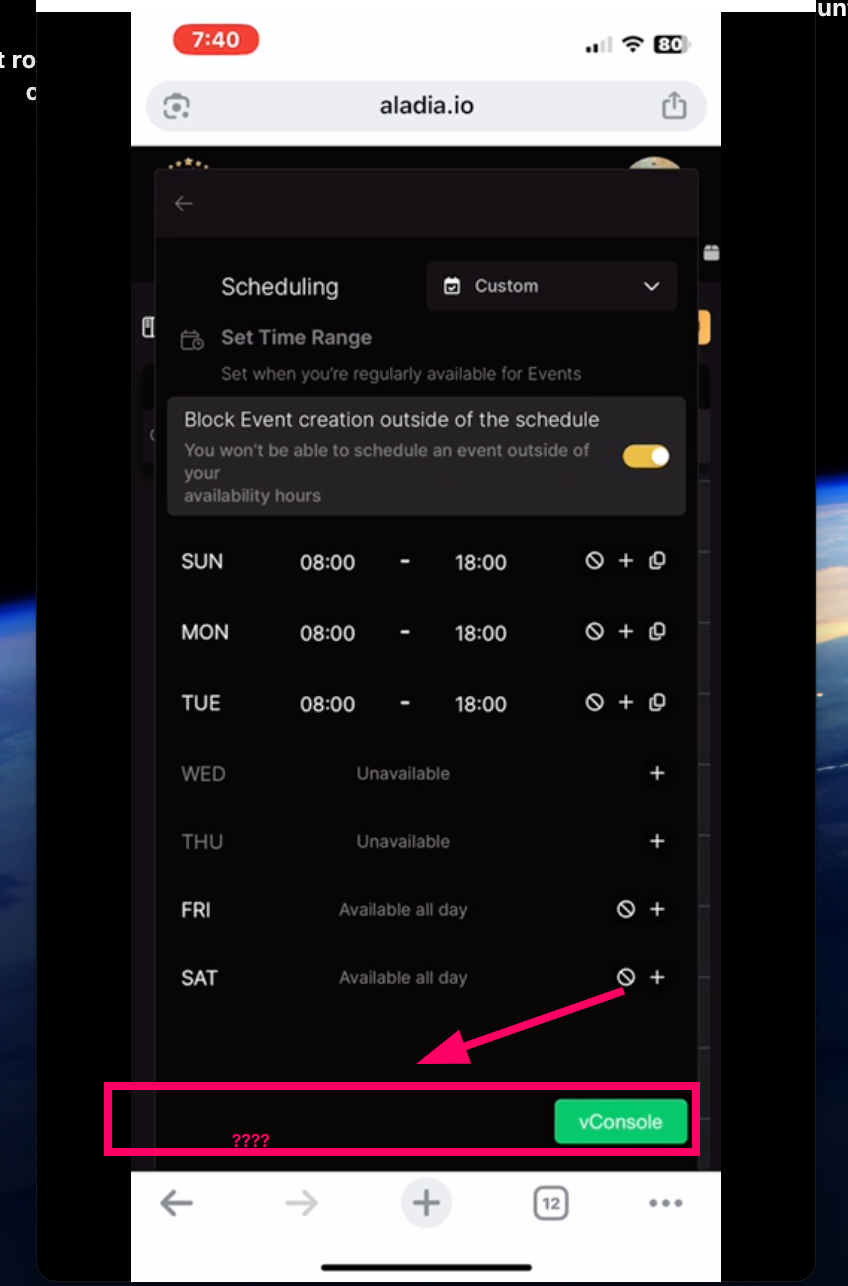
→ No invite option here too
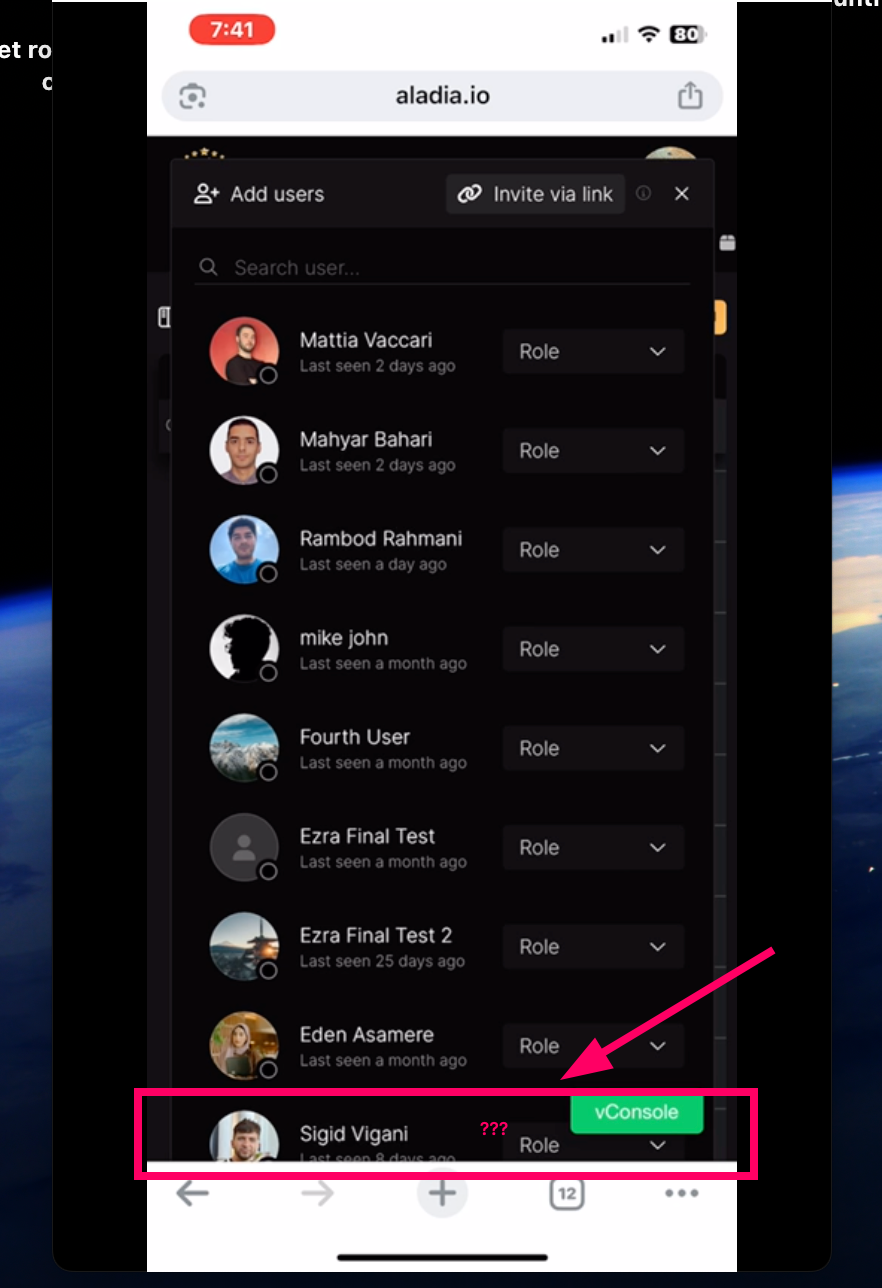
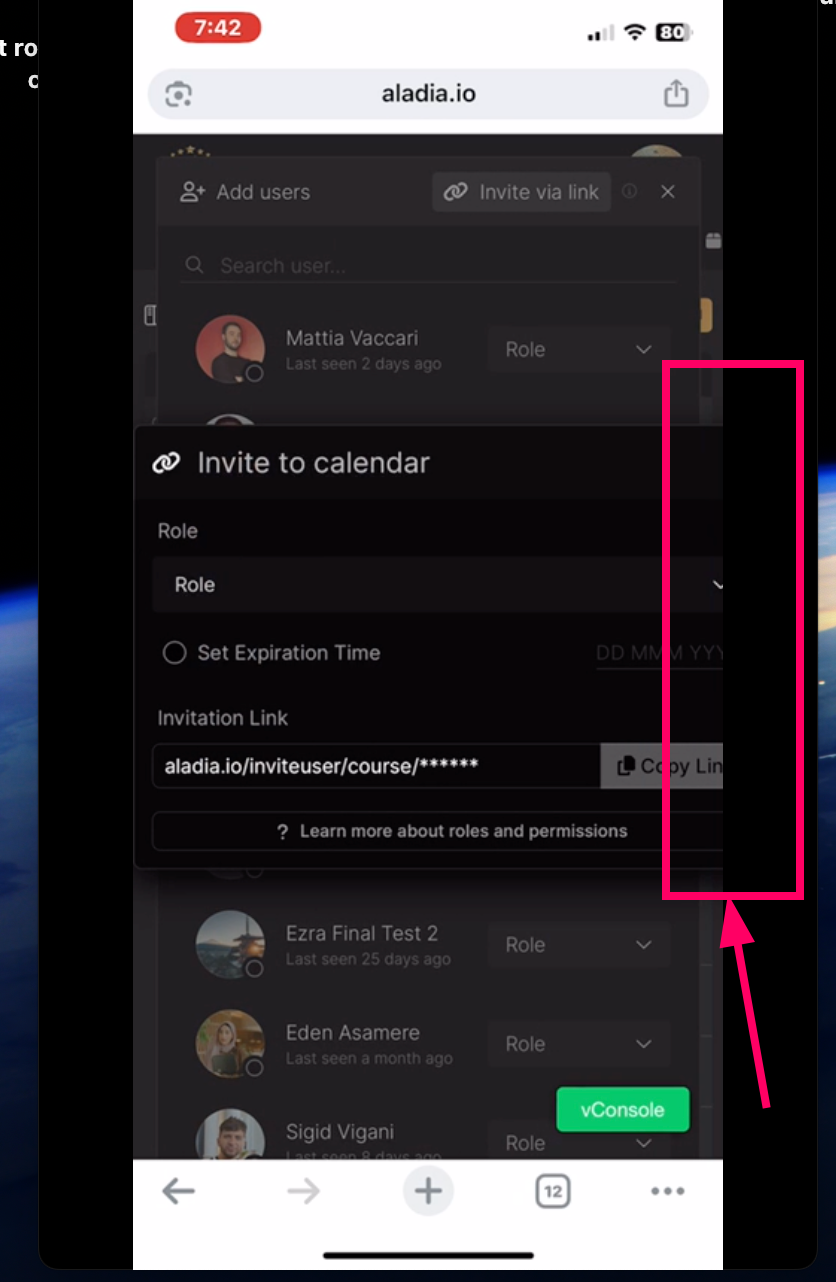
→ Invite pop-up doesn’t fit the screen too
The calendar search bar is too small for a text: provide other design option for small screen, to be compatible for a mobile size
→ If the calendar sidebar is opened on the general calendar view, the sidebar will automaitcally openes when we open the calendar on the fruition page. It should stay closed on the fruition page calendar.
- Domain
- Calendar
- Action
- fix
- Department
- Frontend
Status: Completed
Log in to comment and vote
No comments yet
Be the first to share your thoughts.